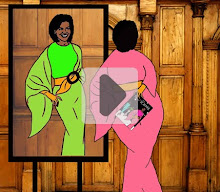
I. This blog is satire. I sometimes make stuff up. Although, usually, I don’t have to.
II. As a bow to Lady M’s most recognizable asset, all “buts” around here have been promoted to “butts.” And yes, I do know the difference. Please don’t inquire again.
III. Commenting is appreciated and encouraged, as is disagreement; butt as this is a wholly owned subsidiary of MOTUS Inc.™ and in no way owned, subsidized or authorized by the U.S. Government, your first amendment rights do not apply here. If you don’t like it, take it up with Eric Holder.
IV. Accordingly: trolls may be zapped without due notice. Unduly profane, racist or pornographic commentary or imagery may be deleted by staff (me) or management (me again). Please note however that “staff” and “management” may not always see offensive items immediately as “they” may be goofing off doing other things. Life is short and MOTUS cannot live on resistance alone.
V. In case of disputes over what constitutes profane, racist or pornographic speech and imagery, the final arbiter of good taste and decency will be the sitting Secretary of Promiscuity and Propaganda (also me). All complaints should be forwarded to Organizing for Action. Just tell them “you’re in” and they’ll take care of everything for a small donation.
Example to help you determine what will be considered appropriate/inappropriate commentary:
Appropriate: citing a Polish proverb in the age of George W. Bush:  Inappropriate: citing a Polish proverb in the age of Barack Hussein Obama:
VI. Friend me on Facebook and follow me on Twitter @MOTUSmirror
 Inappropriate: citing a Polish proverb in the age of Barack Hussein Obama:


 Posts
Posts